
Chronopost prints stack up quickly
When orders go out in volume, one sheet per label adds avoidable cost, paper waste and extra handling. Express shipments also need a clean, readable label that is easy to match with the right parcel.

Chronopost
For urgent shipments and daily batches, Label2A4 turns your Chronopost PDFs into denser A4 sheets that are ready to print. The parcel number and scannable codes remain in the source PDF, ready to check later through Chronopost tracking.
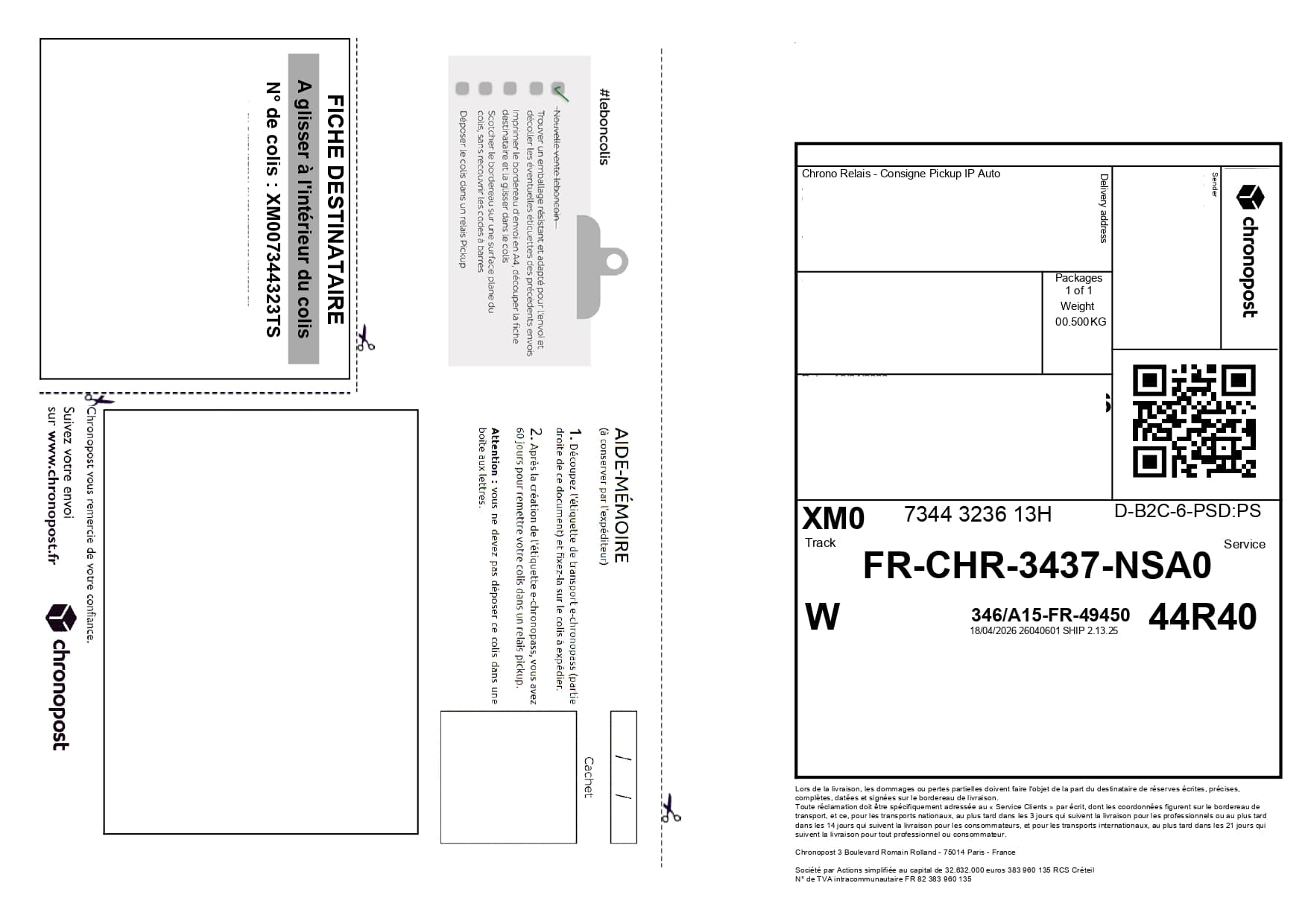
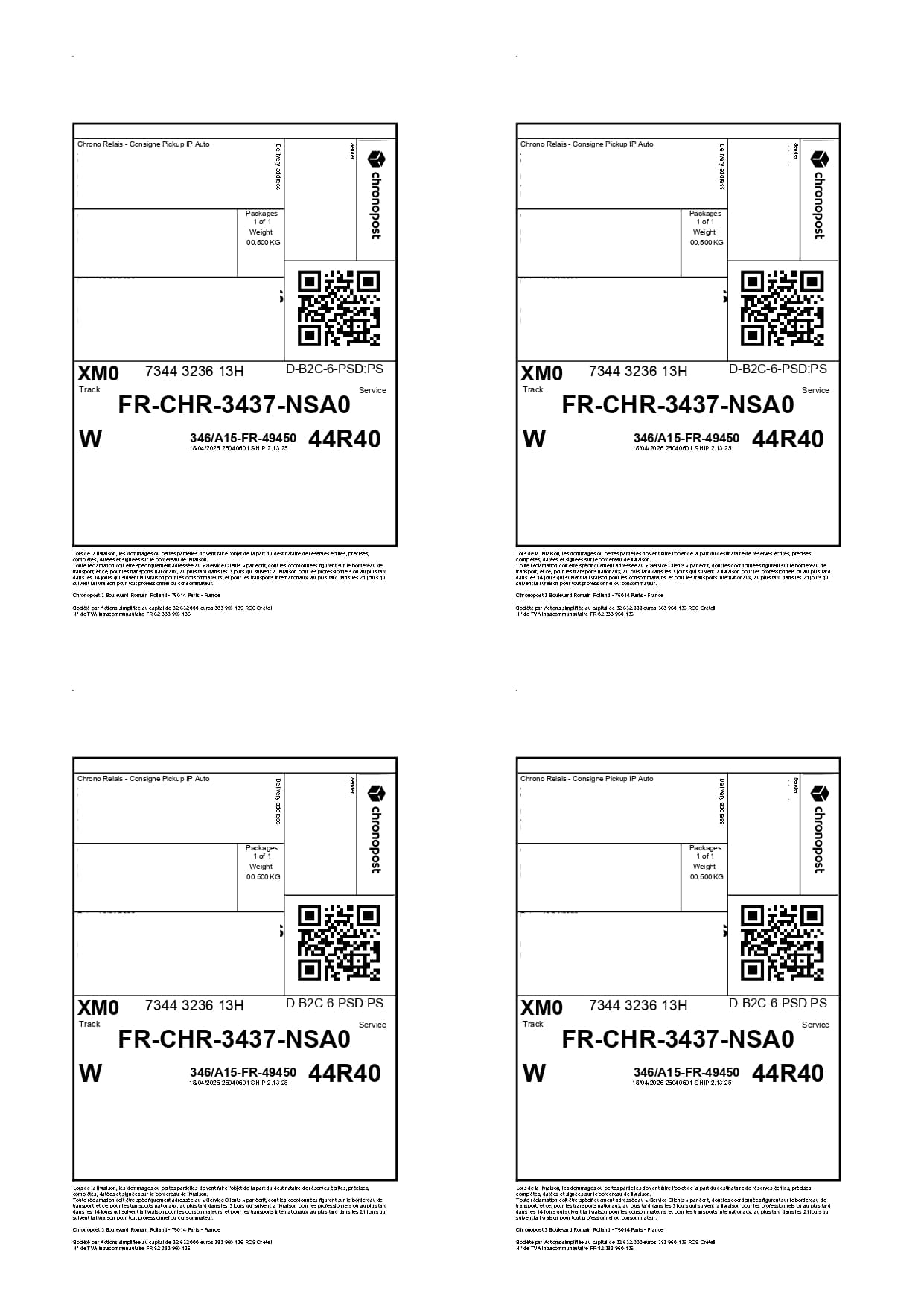
Format-specific review
The Chronopost profile gives priority to the visible document structure, prominent carrier name, sender/recipient blocks and main routing code. A tracking fragment containing another brand's letters is not enough to reclassify the label. Rotated pages and PDFs containing two labels are part of the detection workflow checks.
When orders go out in volume, one sheet per label adds avoidable cost, paper waste and extra handling. Express shipments also need a clean, readable label that is easy to match with the right parcel.
Upload your Chronopost PDFs, let the tool apply the right carrier layout automatically, then print one final grouped A4 PDF. Keep the preview visible so you can check the parcel number before cutting.
Use cases
The same carrier PDFs can be optimized for occasional shipments or for recurring fulfillment volumes.
Prepare urgent orders with a single clean output, useful when several parcels leave in the same pickup.
Reduce printing during order spikes or short-term sales pushes.
Simplify batch preparation without changing your carrier or source PDF workflow.
Savings
Even with a few dozen labels per month, moving to A4 x4 can cut the number of printed sheets dramatically.
Drop in your Chronopost PDFs.
Select the Chronopost profile.
Check the parcel number, then download the ready-to-print A4 sheet.
FAQ
Yes. Label2A4 accepts multiple PDFs and creates an A4 output with up to four labels per sheet.
No. You upload the PDF as it is, and the tool generates a new optimized A4 PDF.
Chronopost says tracking uses the parcel number, often 13 characters for shipments in France or 15 characters for some parcels coming from abroad.
For international shipments, check Chronopost customs requirements and keep any required documents with the parcel. Label2A4 optimizes label layout, not the customs file.
Use the existing tool to upload your PDFs, apply the right carrier layout and generate an A4 sheet ready to print.