A single DHL label can waste a whole sheet
Printing each DHL waybill on its own can leave much of the A4 sheet unused. For e-commerce batches, returns or international shipments, paper, ink and cutting time add up quickly.
DHL
DHL shipments need a completed waybill and a shipping label securely attached to the parcel. Label2A4 isolates the useful area of your DHL PDFs, keeps tracking and scannable elements intact, then groups them on a ready-to-print A4 sheet.
Format-specific review
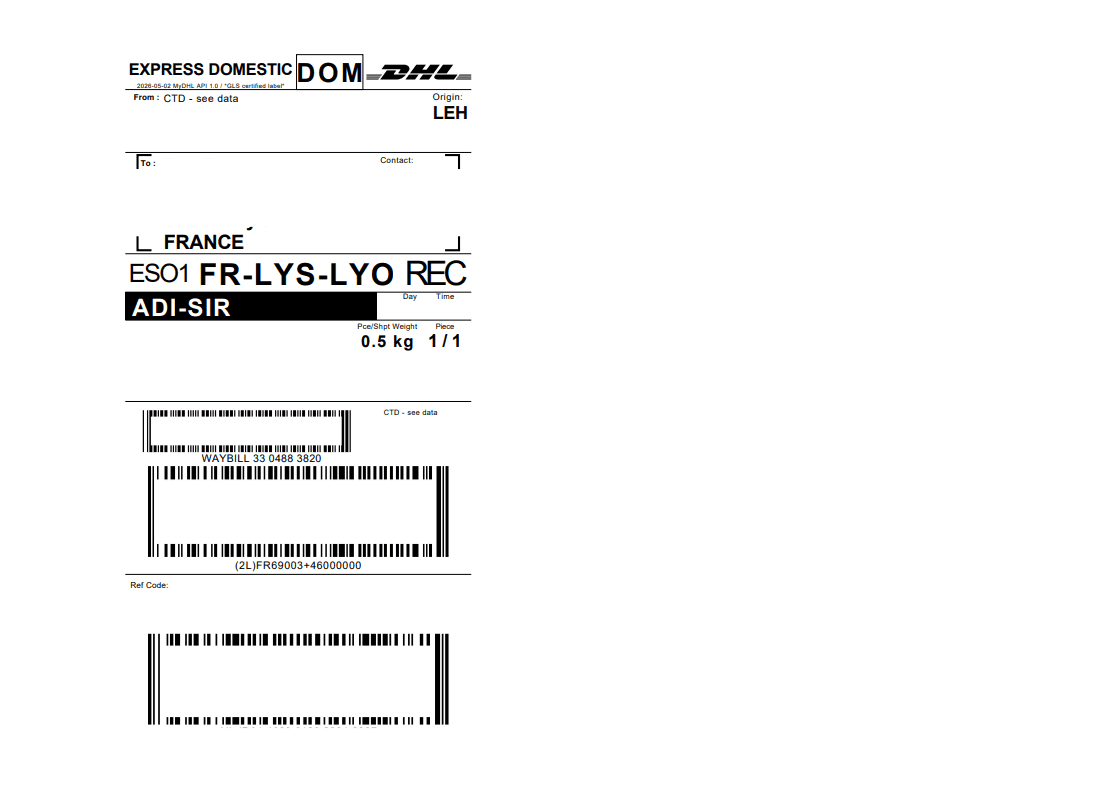
DHL covers several divisions and DHL Express, eCommerce and Freight layouts differ. A label can contain several useful codes and international fields. Detection therefore keeps the routing area, relevant number and visible service rather than relying on the logo alone.
Printing each DHL waybill on its own can leave much of the A4 sheet unused. For e-commerce batches, returns or international shipments, paper, ink and cutting time add up quickly.
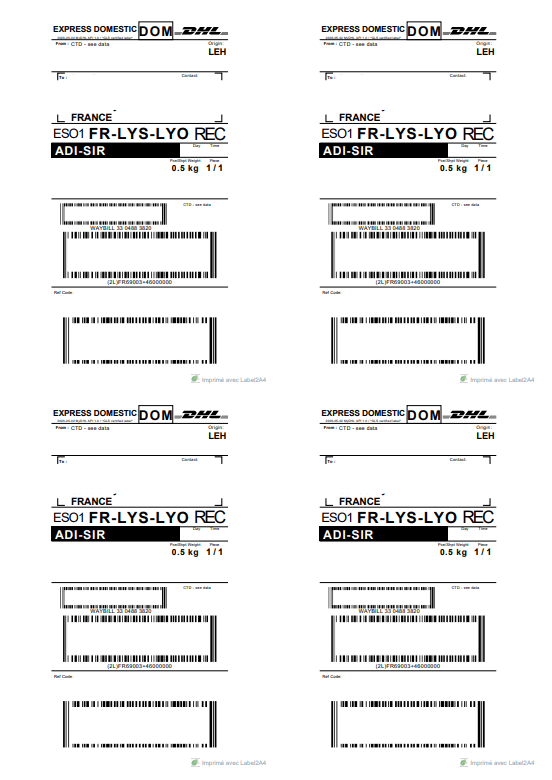
Upload your PDFs, choose the DHL profile, then generate a final file with up to four labels on the same sheet. The carrier content stays unchanged: Label2A4 only optimizes the printed area and placement.
Use cases
The same carrier PDFs can be optimized for occasional shipments or for recurring fulfillment volumes.
Prepare the day’s DHL waybills in a compact output before pickup, agency drop-off or order packing.
Group several DHL labels into one A4 PDF to reduce repeated printing during order peaks.
Keep any commercial or pro forma invoices required by DHL separate from the label sheet when the shipment needs them.
Savings
For compatible batches, an A4 x4 sheet can greatly reduce paper use compared with printing one label per page.
Upload your DHL PDFs to Label2A4.
Select the DHL carrier profile.
Check that tracking and barcodes stay sharp, then download the A4 x4 sheet.
FAQ
Add your DHL PDFs, select the DHL profile, check the preview, then export the final PDF with up to four labels per sheet.
Label2A4 does not recreate the label; it crops and places the source PDF. Always check the final preview and print with enough quality for scan codes to remain readable.
For goods and some international shipments, DHL says a commercial or pro forma invoice and other documents may be required. Label2A4 optimizes the label, not customs obligations.
DHL says tracking events may appear 24 to 48 hours after receiving the Track and Trace ID. Keep the number visible on the label.
Use the existing tool to upload your PDFs, apply the right carrier layout and generate an A4 sheet ready to print.