Sheets without optimization
500
per month
Paper savings
The simplest paper saving is to stop printing a small label alone on a large A4 sheet. Label2A4 groups compatible shipping slips on an A4 board to reduce sheet use.
Simulator
This calculation compares the default one-label-per-sheet print workflow with an A4 x4 sheet. The estimate includes paper by default and an average black ink assumption of €0.15 per standalone label.
per month
per month
4,500 per year
€719.55 per year
Result
€719.55 saved per year on shipping label printing.
saved per year
saved per month
less paper used
€44.55 per year
Based on paper cost only at €0.0099 per A4 sheet.
€675.00 per year
Based on an estimated €0.15 of black ink per standalone printed label.
€719.55 per year
Based on paper + ink, or €0.1599 per avoided standalone printed label.
Sheets saved = 500 - ceil(500 / 4) = 375.
Avoided cost per standalone label = €0.01 for paper + €0.15 for ink = €0.16.
For your current volume, that represents €3.71 of paper and €56.25 of ink, for a total of €59.96 per month.
Good to know: this estimate varies depending on your printer, the actual black coverage of your labels, the cartridge or toner used, and your print settings.
Format-specific review
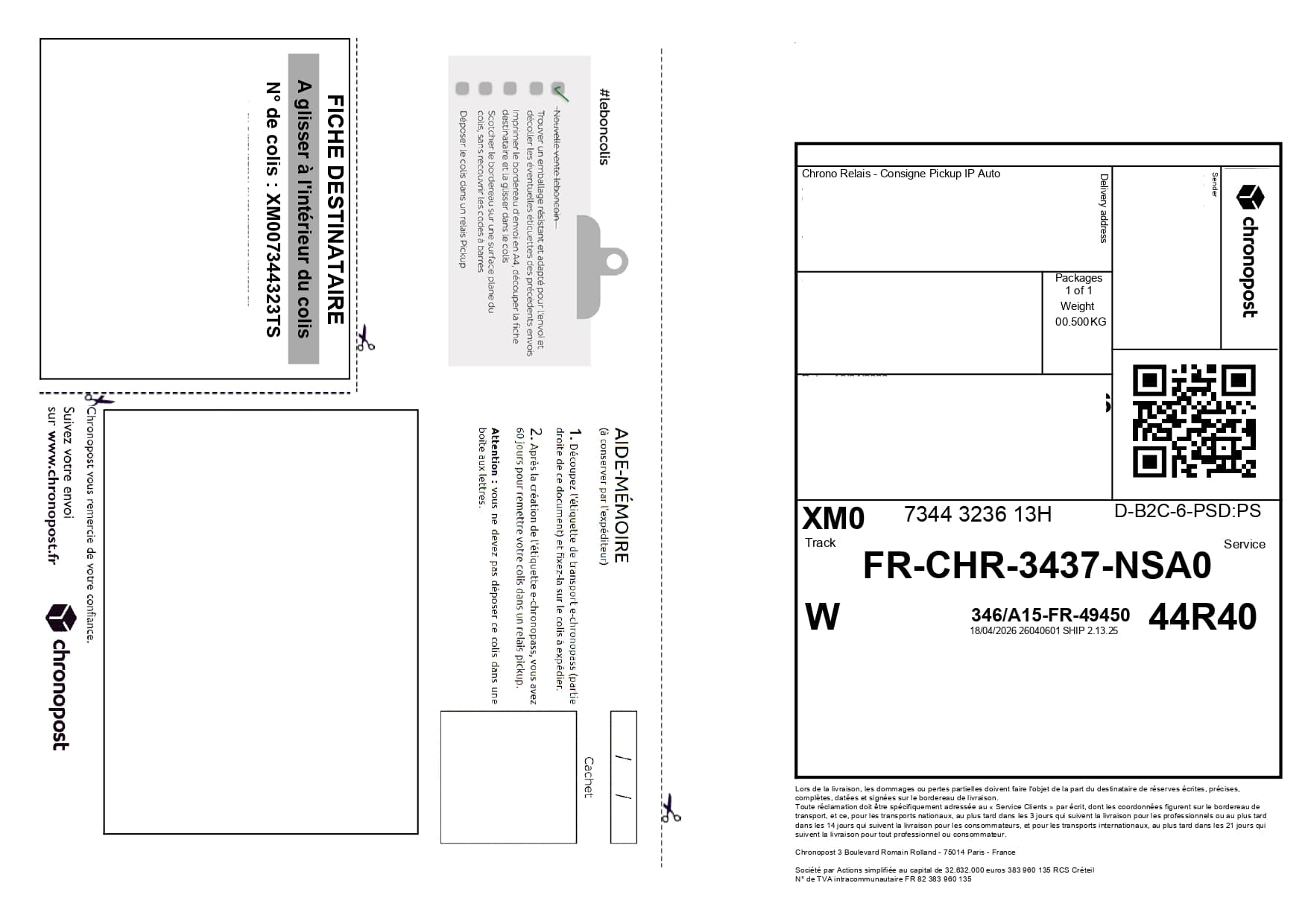
The calculator compares one A4 sheet per label with sheets containing up to four labels. Required sheets are rounded up: five labels need two sheets, not 1.25. Avoided sheets are the difference between label count and required output sheets.
One sheet for one label may look harmless. Across regular marketplace sales, customer returns or e-commerce batches, it becomes a recurring paper, ink and handling cost.
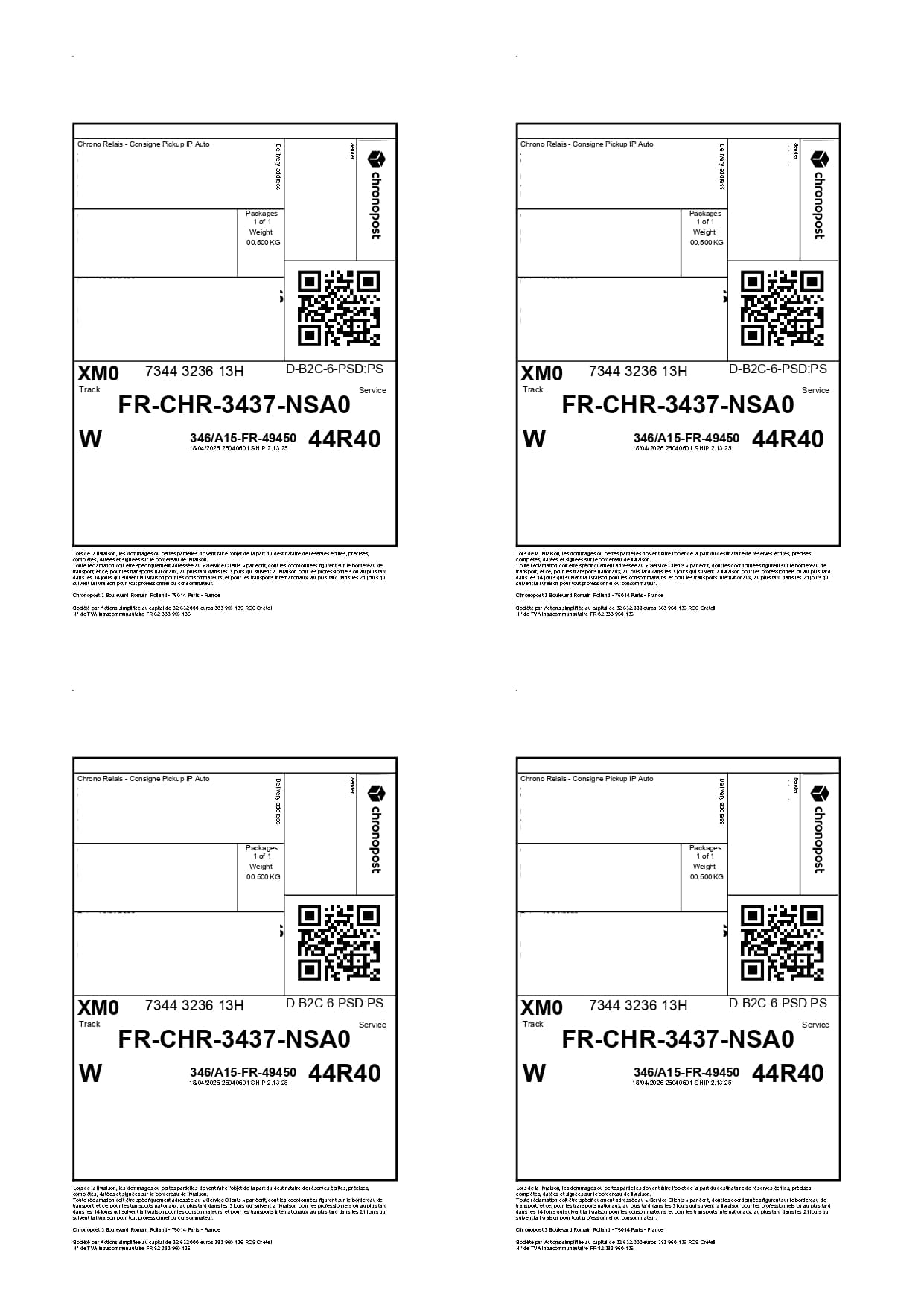
When PDFs are compatible, Label2A4 places four shipping labels on the same page. You print fewer sheets, cut faster and keep a clear output for your parcels.
Use cases
The same carrier PDFs can be optimized for occasional shipments or for recurring fulfillment volumes.
Reduce printing for Vinted, Leboncoin or grouped drop-offs.
Limit paper use during daily order preparation.
Standardize an A4 x4 output to track paper savings over time.
Savings
In the ideal case, four labels go from four sheets to one. For 100 labels, that can mean around 75 avoided sheets.
Gather the PDF labels you need to print.
Upload them to Label2A4.
Check the generated A4 sheet.
Print, cut and attach labels to the right parcels.
FAQ
Group several PDF labels on the same A4 sheet instead of printing a full page for each parcel.
In the best case, a four-label sheet uses one page instead of four, saving up to three sheets.
No. Label2A4 generates an A4 PDF for a standard printer, with a preview check before printing.
Use the existing tool to upload your PDFs, apply the right carrier layout and generate an A4 sheet ready to print.