
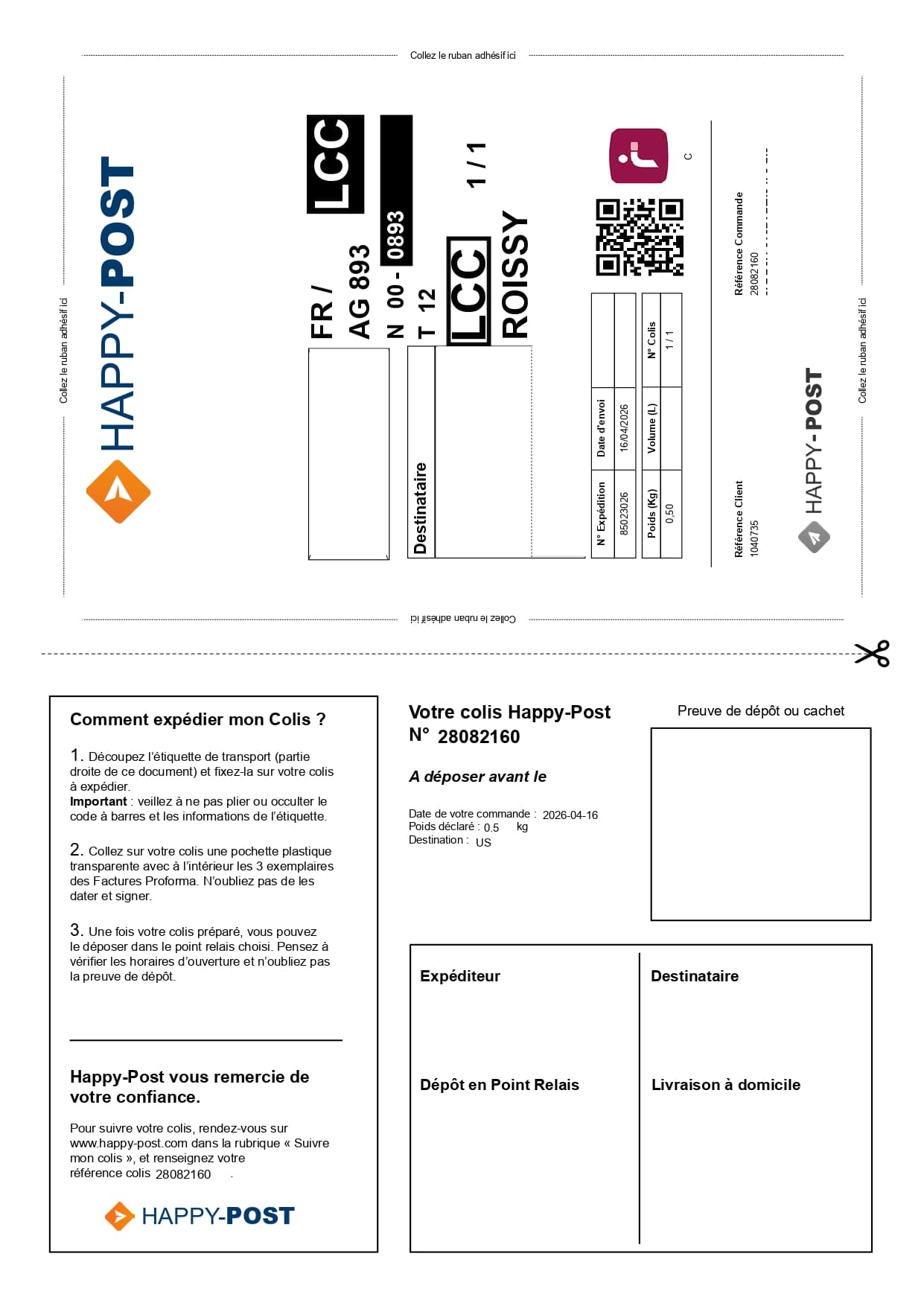
A single Happy Post label can use a full sheet
When each shipping label is printed alone, you use more paper, more ink and more cutting time than necessary. International shipments may also include documents such as CN22 or CN23 forms.

Happy Post
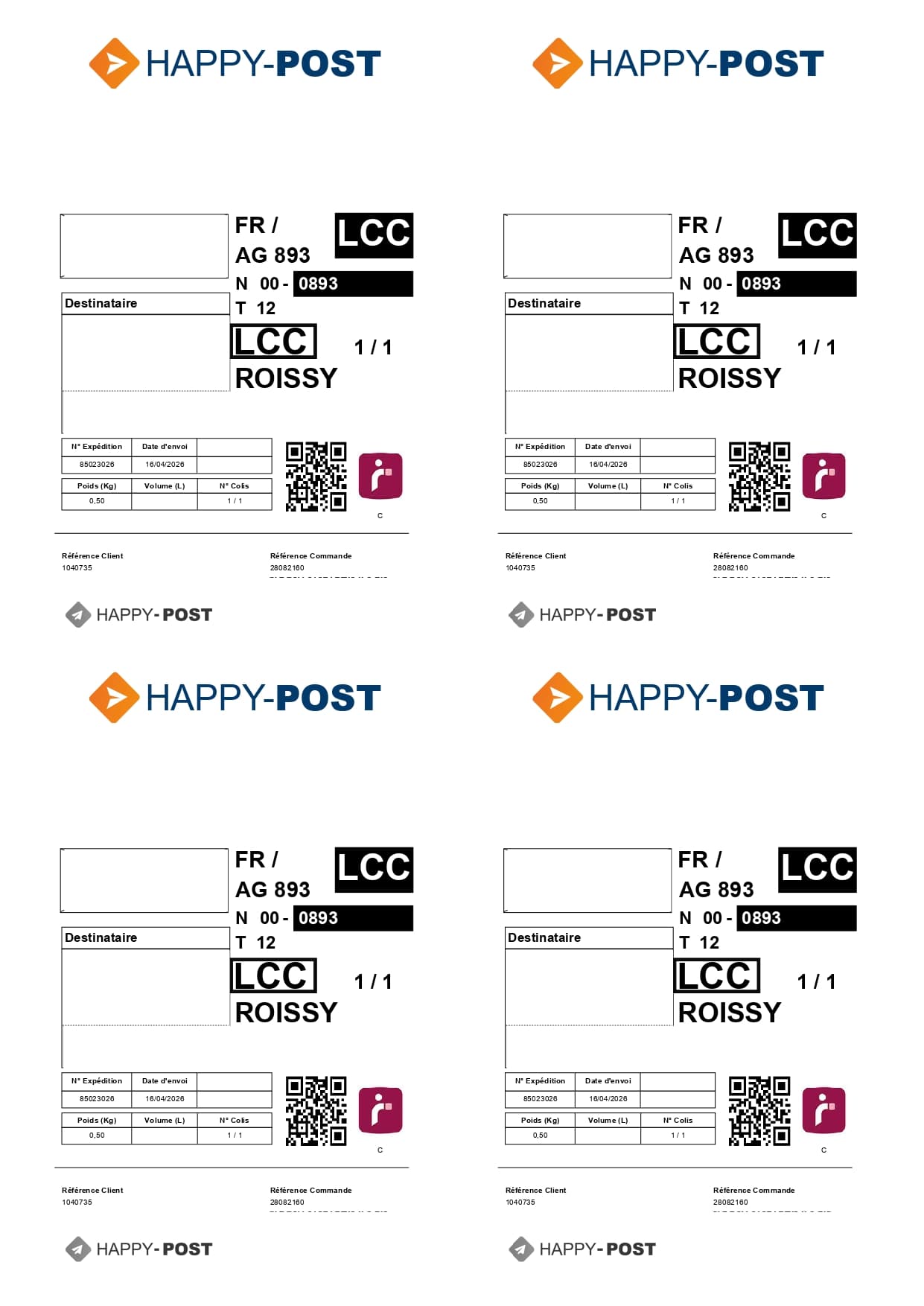
Stop wasting paper: Label2A4 automatically adjusts your Happy Post labels and places them on a ready-to-print A4 x4 sheet. The Happy Post waybill remains linked to its tracking number, which can be found in the customer account or on the label.
Format-specific review
A Happy-Post document may include a keep section and an attach section, plus paperwork for international destinations. The profile targets the complete parcel area and checks that codes are not clipped. Pro forma pages are not treated as interchangeable A6 labels.
When each shipping label is printed alone, you use more paper, more ink and more cutting time than necessary. International shipments may also include documents such as CN22 or CN23 forms.
Upload your Happy Post PDFs, let Label2A4 apply the right automatic adjustment, then generate a final PDF with up to four labels on one A4 sheet. Keep any customs documents separate when the shipment requires them.
Use cases
The same carrier PDFs can be optimized for occasional shipments or for recurring fulfillment volumes.
Group several Happy Post shipments from the day into a single A4 PDF that is easier to print.
Move from several sheets to one A4 board when you prepare two, three or four shipments.
Keep using a standard A4 printer while reducing paper and ink waste, without changing your Happy Post workflow.
Savings
With four Happy Post labels on one A4 sheet, you can cut up to 75% of the sheets used on compatible batches.
Upload your Happy Post PDFs.
Select the Happy Post profile.
Check the tracking number and scannable codes, then print the optimized A4 sheet.
FAQ
Upload your Happy Post PDFs to Label2A4, choose the Happy Post profile, then download the generated A4 PDF with up to four labels per sheet.
Yes. The Happy Post profile applies a predefined adjustment and rotation by default, while still letting you tweak the orientation if needed.
Happy Post says the tracking number is available in the customer account, under orders, or on the transport label. It can then be entered on the Happy Post tracking page.
After drop-off at a relay point, tracking can take a few days to activate while the parcel is collected and scanned. Check the number and keep the label readable.
Use the existing tool to upload your PDFs, apply the right carrier layout and generate an A4 sheet ready to print.