1. Check the download and its contents
An empty, incomplete or protected file cannot be handled like a readable PDF. Open it in a reader before assuming a layout problem. When a download is interrupted, obtain a fresh copy from the order rather than simply renaming the file.
Inspect each page: label, receipt, invoice, instructions or customs paperwork. File count, page count and retained label count are different quantities. Record the actual number of expected labels before processing.
2. Understand text versus image
In a vector PDF, text and shapes can remain sharp when zoomed. A scanned PDF often contains an image, so enlarging it enlarges its pixels. Selectable text is a clue, not absolute proof: some scans also contain a recognized text layer.
Resolution example: a 600-pixel-wide image printed at 100 mm has about 152 pixels per inch, because 100 mm is about 3.94 inches. Enlarging it does not recreate missing detail. This calculation does not establish a carrier acceptance threshold.
3. Isolate the step introducing the problem
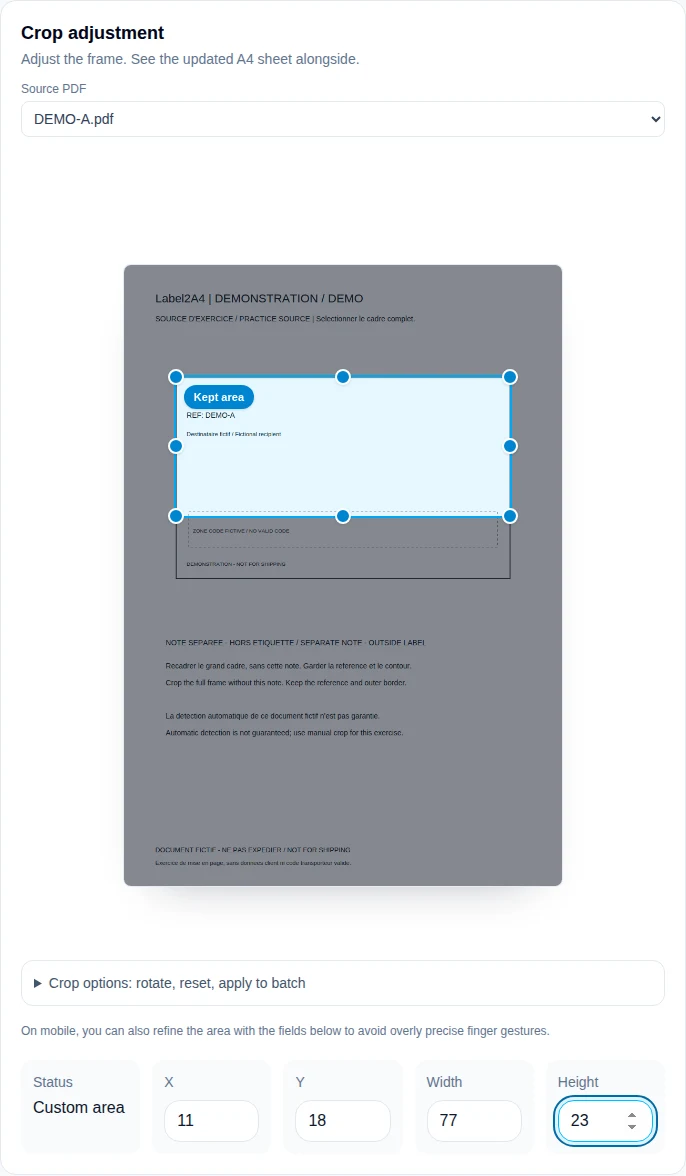
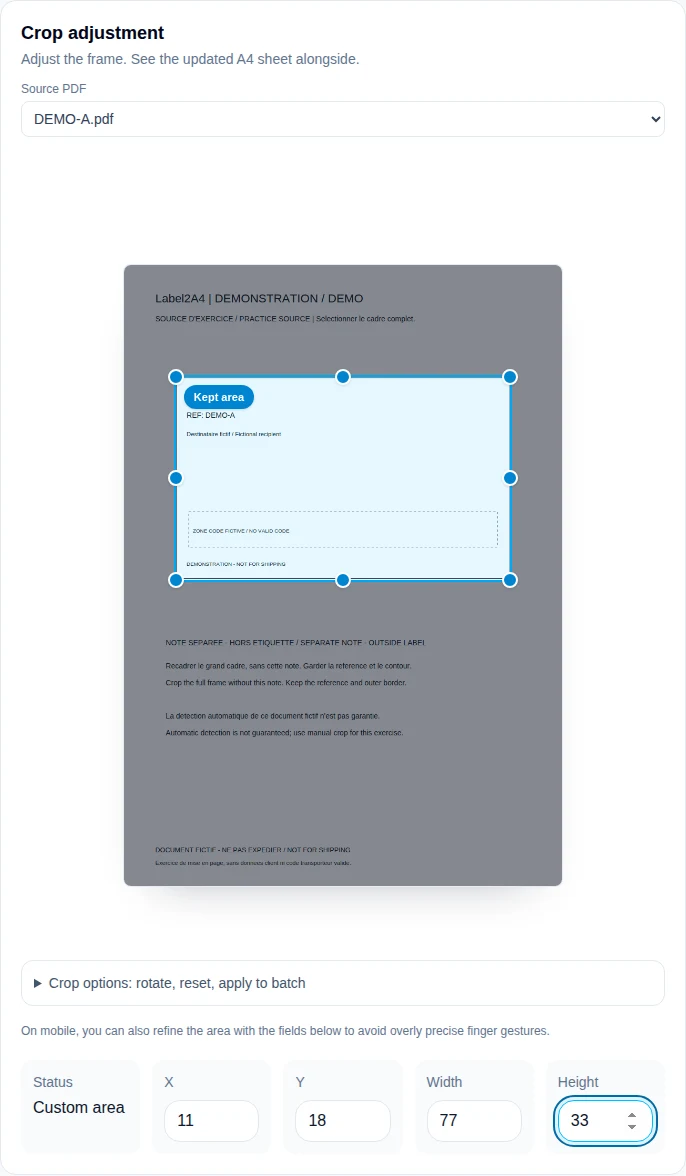
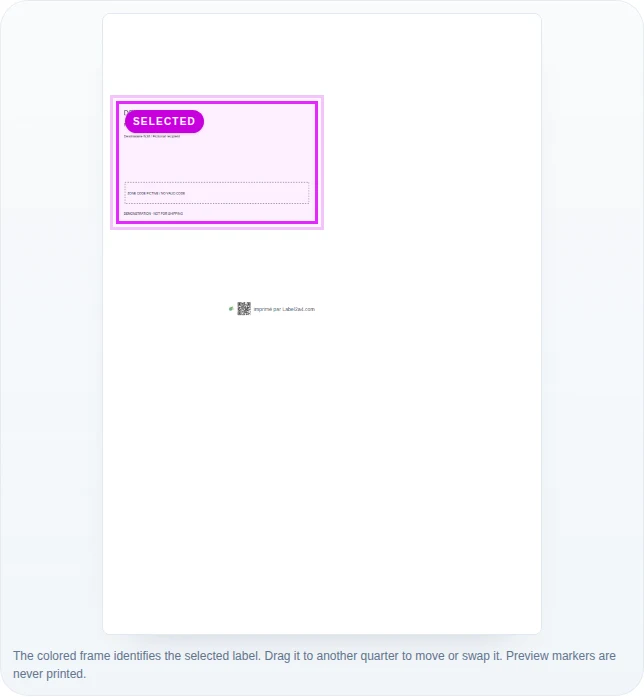
Compare three states: the source in a reader, the selected area in Label2A4 and the downloaded sheet. When an edge is missing from the source, download it again. When it is missing from the preview but not the source, check the crop and rotation. When only the physical print differs, inspect printer settings.
Avoid repeatedly converting PDF to image and back as an attempted repair. Each conversion complicates diagnosis and can change dimensions or resolution. Always retain an unchanged copy of the original.
4. Handle personal information carefully
In the normal preparation workflow, PDFs are analysed and composed in the browser. Accounts, quotas, purchases and history use their own service data as described in the privacy policy; this does not mean the service processes no online data at all.
A cropped frame is not secure removal of an address. Prefer a synthetic example or a genuine redaction tool when contacting support, and check the resulting document. Simply drawing a white rectangle over sensitive information is not sufficient.
5. Prepare a useful report
Describe the carrier, affected step, expected label count and visible defect. An anonymized source/output comparison helps distinguish a short crop from a scale change.
The troubleshooting guide’s demonstration file tests the workflow without real addresses. It does not establish compatibility with every encrypted PDF or prove that a carrier scanner will read the result.
In the actual Label2A4 interface
Screenshots taken on 8 September 2026 using the fictional DEMO A practice file, with no customer data. Open an image to inspect its controls at full size.
| Observation | Likely step | First check |
|---|---|---|
| The reader cannot open the file | Source or download | Download a fresh copy from the order |
| The original is correct, the crop is not | Detection or crop | Correct the selection in the workspace |
| The sheet is sharp, the print is not | Reader, driver or printer | Check scale and make a test print |
Practice, then check
Teaching PDFs are fictitious, contain no customer data and are not valid postage. They do not replace a physical print or carrier check.
Fictitious PDF for testing the workflowLabel2A4 is not an OCR service, PDF decryption service or secure redaction tool.
Sources and method
Workflow instructions describe Label2A4; numerical examples are calculations, not carrier acceptance tests.
Adobe Acrobat: PDF page size and printingLabel2A4 method and limitations